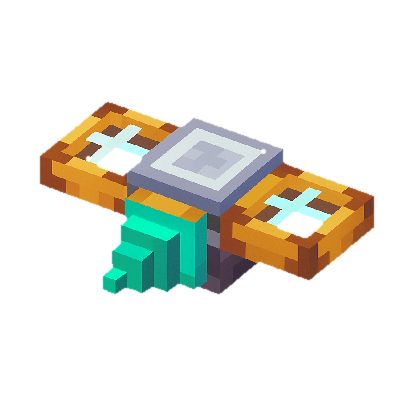
Buddy Drones allows you to create custom personal drones or quadcopters. They are based on your design, and when active, hover behind the player. Based on the blocks the drone is built with, it'll have different properties, such as different speeds, abilities, etc.
For more information on what the drone can do, check out the abilities page.
New rotor blocks have been added that allow the drone to actually fly. There's a basic wooden rotor, an iron rotor, and a strong ion thruster.
Assembly
To assemble a drone, start by first placing down a Drone Assembly Controller. Then build a platform made from "Assembly Frame" blocks next to the controller. On that platform, you then build your drones. Drones can be of any size (but at most 1000 blocks) and of any blocks. The real drone will then be a miniature version of whatever you've built in the world.

The assembly controller UI can show you the properties of your drone while building. When you're drone, click the "Build" button. This will transform your build from blocks in the world to a pocket drone item, which you can then pick up.
To edit a drone or convert it back into real blocks in the world, simply use the pocket drone item, and use it on a drone assembly controller (with a frame attached to it).
Usage
Once assembled, the pocket drone item can be equipped to activate the drone. When worn in the head slot or the 'drone' accessories slot, the drone will be active. It does not consume any fuel, and the abilities of the drone are always active. To cancel an action of a drone, simply move away and it'll go back to following you around.
If the accessories mod is installed, the drone can also be put in the cosmetic accessories head slot and still work.