
The Camouflage Module can be used in a Force Field Projector to alter the appearance of the force field itself. With a Camouflage Module installed, force fields may be disguised as regular blocks. For example, a force field might be masked as a wall of Stone. The Camouflage Module can be used in combination with all Projector Modes.
Recipe
| Recipe Type | Ingredients | Outputs | Recipe preview |
|---|---|---|---|
Recipe Type Shaped Crafting | Ingredients | Outputs | Recipe preview 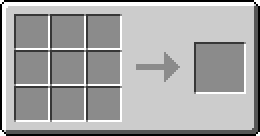    |
Expand | |||
Usage
This feature of the Projector can help players to hide things from other people or camouflage the entrance to a secret base. Select a block you wish to use as camouflage and place it in another empty slot of the Projector's left-hand item matrix (the same matrix as the Camouflage Module). Activate the Projector in the usual way.
Multiple camouflage blocks
If no camouflage block is found in the projector's inventory, it will instead scan all neighboring inventories for camouflage blocks to use. In this case, multiple blocks will be used for camouflage at the same time, where the share of each block depends on its total amount share found in inventories.


