
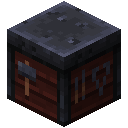
The Runic Forge is the only way to add or remove Runic Tablets from a Unique weapon. It also provides a safe workspace for changing Runefused and Netherfused gems.



Using the forge
- Place a supported weapon in the upper centre slot.
- The forge extracts its Runic Tablets and socketed gems into the matching editor slots.
- Move up to eight Runic Tablets and one gem of each type between the forge and your inventory.
- Hover the weapon slot to inspect a live preview of the resulting weapon.
- Remove the weapon to commit the preview. Closing the screen also commits the displayed contents safely.
The eight lower slots represent awakening levels. The side slots accept Runefused and Netherfused gems. Animated channels and slot highlights show which components are being applied.
Items added through the additionalGemSocketItems configuration can use the forge for gem management even when they do not participate in Unique awakening.