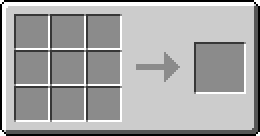
The Processing Plate combines the functions of the Collection Plate and the Extraction Plate. It can collect dropped items into the inventory below it while independently moving items from another adjacent inventory toward its configured output.
Like the other Plates, it is placed on top of a supporting block and has no collision box. Entities can move through the thin Plate, and dropped items are processed when they touch it.
Collecting dropped items
When a dropped item entity touches the Processing Plate, the Plate attempts to insert the stack into the inventory directly below it.
This collection direction is always Down. It is separate from the configurable extraction and output sides described below.
If the inventory can accept only part of the stack, the accepted items are inserted and the remainder stays in the world. If it cannot accept any of the stack, the item remains unchanged. If the entire stack is inserted, the item entity is removed.
Extracting items from an inventory
The Processing Plate also performs an automatic inventory transfer twice per second. Each transfer attempt checks the inventory on the configured extraction side.
The extraction side may be Down, North, East, South, West, or Up. The Plate accesses the face of that inventory which points toward the Plate, so the sided insertion and extraction rules of machines and other inventories are respected.
The Plate checks the inventory's slots in order. When it finds an item stack that can be extracted and sent to the output, it moves up to 64 items and finishes that transfer attempt. It therefore transfers from at most one slot per attempt.
Sending extracted items to the output
The output side may be North, East, South, or West.
If an inventory is adjacent to the output side, the Plate inserts the extracted items into the face pointing toward the Plate. It extracts only as many items as the output can accept.
If there is no inventory on the output side, the extracted stack is dropped just beyond the edge of the Plate and pushed gently in the output direction. If an output inventory unexpectedly leaves a remainder during the transfer, that remainder is dropped and pushed in the same way.
The marking on top of the Plate indicates its current output direction.
Configuration
The Processing Plate has no menu. Configure it with an empty hand:
- Right-click to cycle the extraction side.
- Sneak right-click to cycle the horizontal output side.
A status message displays the newly selected side after each interaction.
When placed, the output points in the direction the player was facing. The extraction side points in the opposite direction.
Example
Place a Processing Plate on a chest, with a furnace to its north and another chest to its east. Set the extraction side to North and the output side to East.
The Plate now performs two independent jobs:
- Dropped items moving over the Plate are inserted into the chest below.
- Items are extracted from the furnace to the north and inserted into the chest to the east.
Changing the extraction or output side does not change where dropped items are collected; dropped items always go into the inventory below.