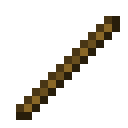
The Redstone Tool is used to link certain wireless redstone blocks to other locations.
First, use it on the linkable block, so the Tool knows what's being linked. Then, use it on the destination block you want it to be linked to.
While holding the Redstone Tool, you'll be able to see all links nearby through walls.
The Redstone Tool can be used on the following blocks: