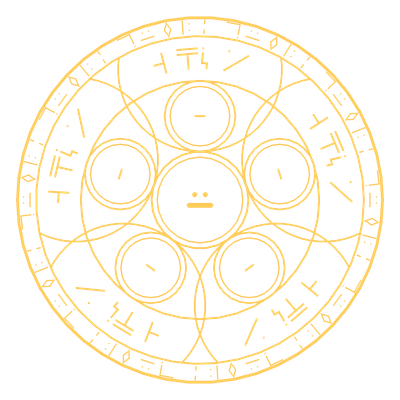
Copy a structure, then build it again somewhere else. The circle is drawn on top of a block and works on the column above it, and both the width and the height of that column grow with level. This is not the Build circle, which places single blocks from a CAD.
- Blueprint Build - the copy-and-build circle. Right-click it with a blank Blueprint to copy the column into the item. Right-click it with a filled Blueprint to set up a build: an outline shows where it will go, right-clicking again with the same Blueprint turns it a quarter turn, and a structure too big for the circle is refused. Confirm by right-clicking with a Magic Pen or the Philosophers' Stone, and the circle builds it one layer at a time from the bottom up. Blocks come from your storage network, or, if the circle is drawn on a chest, from that chest alone. Blocks in the way are broken into the network first.
- Taking a structure apart - right-click the circle with an empty hand to arm it, then copy the column with a blank Blueprint and confirm: the structure is dismantled into your network, top layer first. An empty hand on a circle with a job waiting or running cancels it.
- Blueprint Make - the same circle, but a block your stock does not hold is made out of mana instead. This is much more expensive, and ores, precious blocks and most blocks that hold items are never made, so stock your chests if you can.
Each block placed or taken costs mana. If your network runs short, the circle stops where it is and carries on when it can pay again.
| Circle | Mana (cast) | Mana upkeep (per batch) |
|---|---|---|
| Blueprint Build I | 200 | 2 |
| Blueprint Build II | 200 | 4 |
| Blueprint Build III | 200 | 6 |
| Blueprint Build IV | 200 | 8 |
| Blueprint Build V | 200 | 10 |
| Blueprint Build VI | 200 | 12 |
| Blueprint Build VII | 200 | 14 |
| Blueprint Build VIII | 200 | 16 |
| Blueprint Build IX | 200 | 18 |
| Blueprint Make I | 200 | 2 |
| Blueprint Make II | 200 | 4 |
| Blueprint Make III | 200 | 6 |
| Blueprint Make IV | 200 | 8 |
| Blueprint Make V | 200 | 10 |
| Blueprint Make VI | 200 | 12 |
| Blueprint Make VII | 200 | 14 |
| Blueprint Make VIII | 200 | 16 |
| Blueprint Make IX | 200 | 18 |